The Simplest Tool in My App Became the First One Google Loved
I spent weeks building AI-powered image editing. Google was more interested in my image compressor.
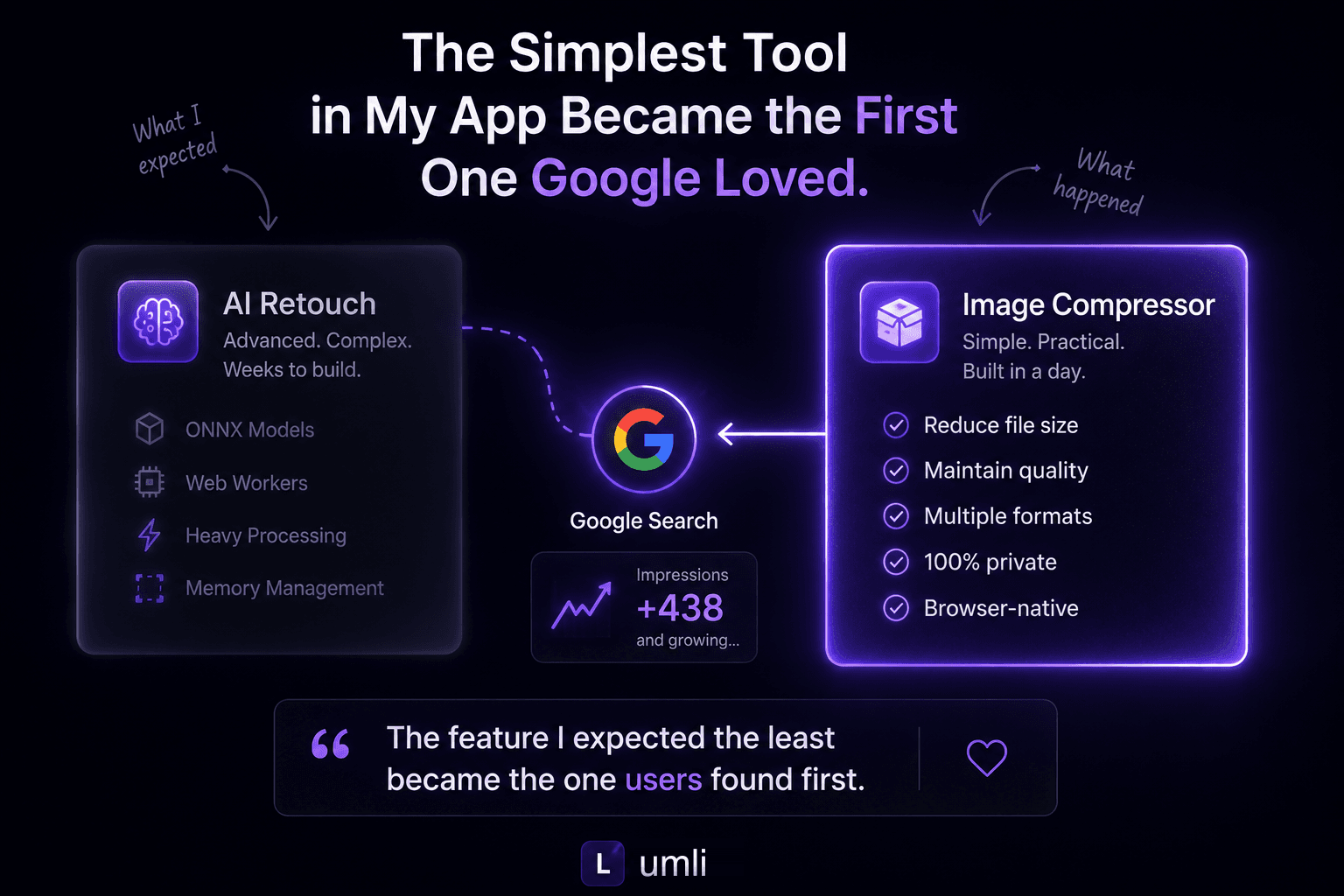
This is a small behind-the-build note about the first feature Google started noticing after Lumli launched.
When I started building Lumli, I had a pretty clear expectation of what would become the flagship feature.
I thought it would be AI-powered retouching, not the image compressor.
Retouching had the hard parts: removing unwanted objects directly in the browser, running ONNX models locally, managing memory efficiently, and moving heavy processing into Web Workers.
Compression was supposed to be the “easy” feature.
A practical utility someone might use before emailing a photo, uploading to a form, or publishing an image online.
I built it in a fraction of the time.
Then something unexpected happened.
Google disagreed.
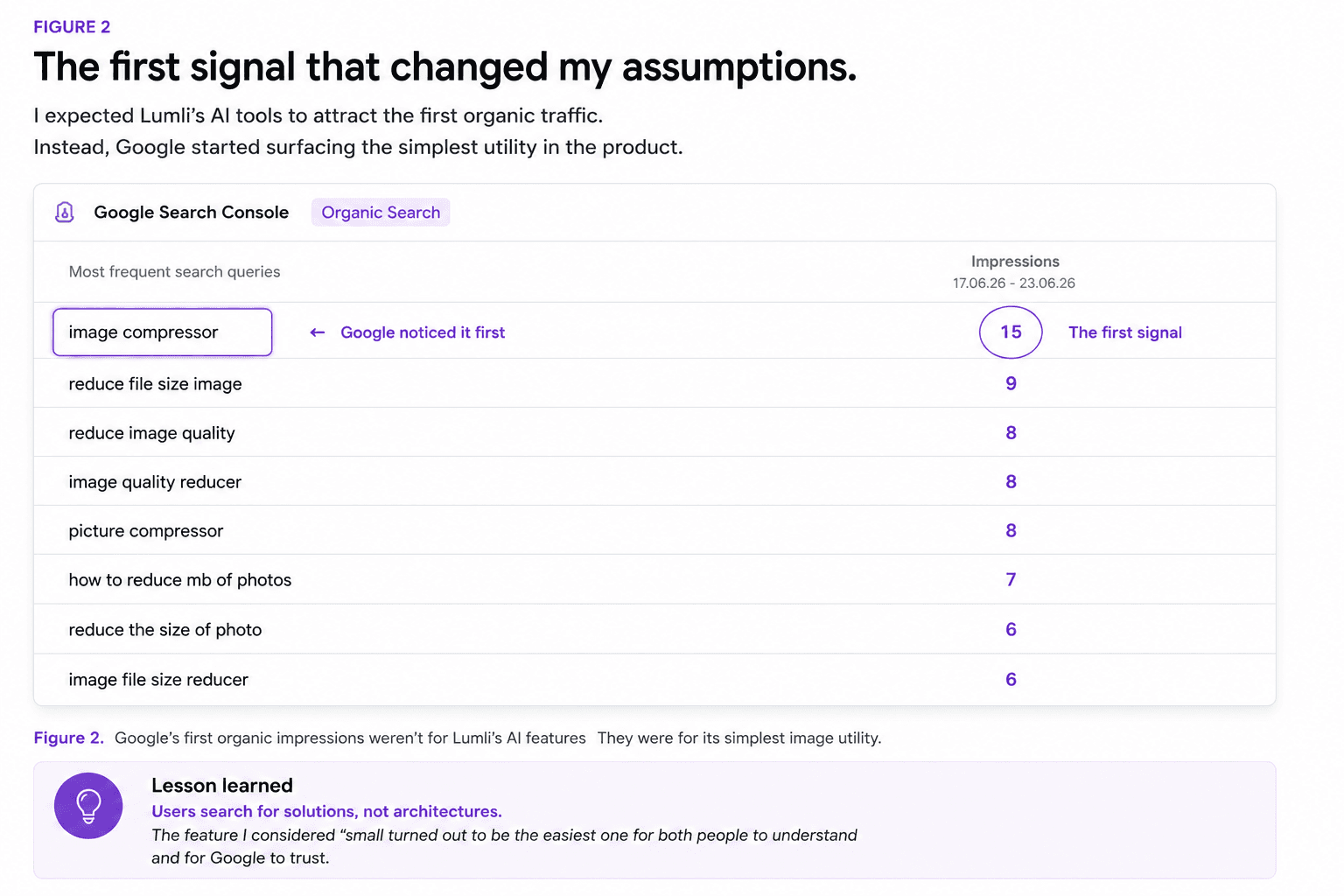
A few days after launch, I opened Google Search Console expecting to see impressions for pages about AI editing or image retouching.
Instead, the page Google was quietly testing first was:
“Compress”
Not Retouch.
Not AI.
Not Background Removal.
Just the image compressor.
At first, I assumed it was random.
But over the following days, Google kept testing that page for more search queries.
Not just one keyword.
Queries like:
- image compressor
- picture compressor
- reduce file size image
- image quality reducer
- reduce photo size
That was my first reminder that building software and solving problems are not always the same thing.
Developers love complexity.
The parts I was proudest of were not the first parts people searched for.
Users were looking for convenience.
As developers, we’re naturally attracted to difficult problems:
Running AI inside a browser.
Optimizing memory usage.
Building high-performance image pipelines.
Those are interesting engineering challenges.
But someone trying to send a photo over email has a much simpler goal:
“I just need this image to be smaller.”
The simplest feature often solves the most common problem.
Simplicity scales.
Image compression isn’t exciting.
Nobody tweets about it.
Nobody writes conference talks about it.
But it shows up in ordinary workflows every day: sending a photo over email, uploading to a form, preparing CMS images, reducing image file size, or making a page load faster.
Millions of people search for an image compressor every month because the problem is small, common, and immediate.
That’s when I realized something important:
The most valuable feature isn’t necessarily the hardest one to build.
Sometimes it’s the feature people need every single day.
A lesson for solo builders
It’s easy to assume your biggest technical achievement will become your biggest success.
Sometimes it does.
Sometimes it doesn’t.
The market doesn’t reward engineering effort.
It rewards usefulness.
That doesn’t mean ambitious engineering isn’t worthwhile.
The browser-native AI architecture behind Lumli is still one of the parts I’m most proud of.
But launching reminded me of something every builder eventually learns:
Users don’t experience the months you spent building a feature.
They experience the ten seconds it takes to solve their problem.
Why this changed how I build
Since seeing those first Search Console impressions, I’ve started looking at new features differently.
Instead of asking:
“What’s the coolest thing I can build?”
I ask:
“What’s the problem people solve every day?”
Sometimes the answer is AI.
Sometimes it’s simply compressing an image.
Both matter.
One pushes technology forward.
The other gets used before lunch.
And surprisingly often…
it’s the simpler one that opens the door to everything else.
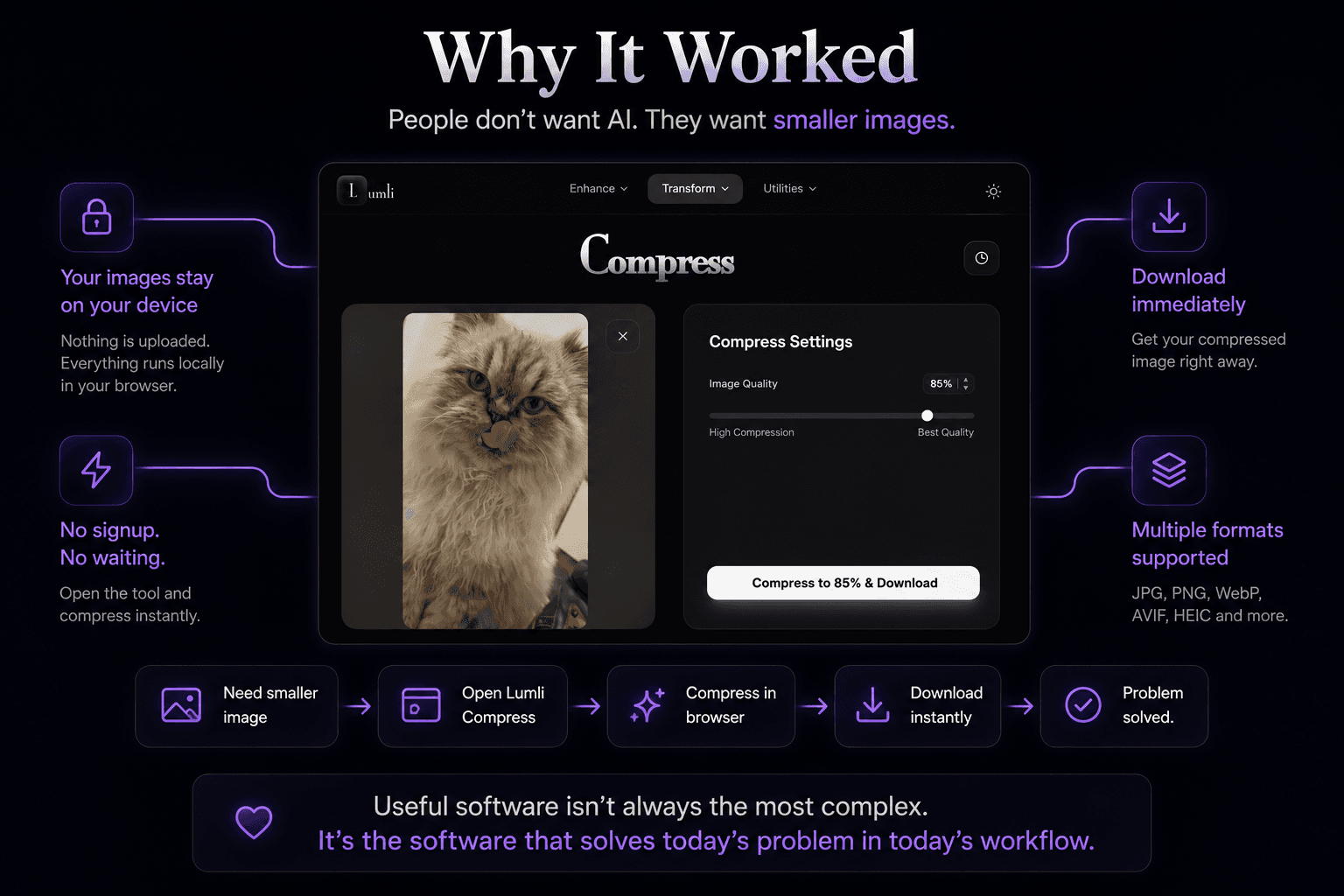
That’s why Lumli Compress stays simple: upload an image, reduce the file size, keep the result useful, and do it without sending the image away.
Want to compress an image without sending it away?
Try Lumli Compress to reduce JPG, PNG, WebP, AVIF, and HEIC files directly in your browser.
Try Lumli CompressKeep reading
Related articles
How to Compress Images Without Losing Quality
Reduce image file size with smart resizing, WebP, AVIF, PNG optimization, JPG settings, and clean export workflows.
Read article5 Golden Rules for Perfect Image Compression Without Quality Loss
A comprehensive guide on balancing bitrates, handling HEIC files, and leveraging smart layout bounds to save storage.
Read articleHow to Prepare Images for the Web Without Losing Quality
A simple workflow for resizing, choosing formats, compressing, and checking final images before publishing them online.
Read article